What Is the Apple Ecosystem and Why Do Users Stay in It for Years?

The Apple ecosystem is one of the strongest reasons many people continue using Apple devices year after year. For some users, it starts with a single iPhone. In this article of Apple On Top we say more. Over time, that iPhone may be joined by a MacBook, an iPad, an Apple Watch, AirPods, iCloud storage, Apple Music, Apple TV Plus, and several Apple services. At that point, the experience becomes more than a collection of separate devices. It becomes a connected digital environment where hardware, software, and services work together.
The term “Apple ecosystem” refers to the way Apple products connect, communicate, and support each other across daily tasks. An iPhone can send files to a Mac through AirDrop. A Mac can copy text from an iPad through Universal Clipboard. An Apple Watch can unlock a Mac. AirPods can switch between devices. iCloud can sync photos, notes, passwords, files, and messages. These connections create convenience, and convenience is one of the biggest reasons users remain loyal to Apple.
Apple does not simply sell devices. It builds a complete experience around them. The ecosystem is designed to reduce friction, simplify common tasks, and make users feel that each Apple product becomes more useful when connected to another one. This is why many users who enter the Apple ecosystem find it difficult to leave after several years.
What Is the Apple Ecosystem?
The Apple ecosystem is the connected network of Apple devices, operating systems, apps, and services that work together as one unified experience. It includes products such as iPhone, iPad, Mac, Apple Watch, AirPods, Apple TV, HomePod, and Apple Vision Pro. It also includes operating systems such as iOS, iPadOS, macOS, watchOS, tvOS, and visionOS, along with services such as iCloud, Apple Music, Apple TV Plus, Apple Arcade, Apple Fitness Plus, Apple Pay, FaceTime, iMessage, and Find My.
The ecosystem is built around integration. Instead of treating each device as a separate tool, Apple designs them to share data, continue tasks, and recognize each other automatically. This means users can move between devices without starting from zero each time.
For example, a user can begin writing an email on an iPhone and finish it on a Mac. They can take a photo on an iPhone and see it appear on an iPad through iCloud Photos. They can answer a phone call on a Mac, reply to iMessages from an iPad, or use an Apple Watch to approve actions on a Mac. These features may seem small individually, but together they create a smooth and familiar experience.
The ecosystem is not only about technology. It is also about behavior. Apple encourages users to stay within a consistent environment where settings, design language, privacy controls, accounts, apps, and services feel familiar across all devices.
How Apple Devices Work Together
Apple devices work together through a combination of hardware design, operating system integration, cloud synchronization, and account based services. The Apple ID is the center of this experience. Once a user signs in with the same Apple ID across devices, many features become available automatically.
iCloud syncs important data such as photos, files, contacts, calendars, notes, reminders, Safari tabs, passwords, and app data. Continuity features allow users to move tasks between devices. Bluetooth, Wi Fi, and Apple’s local connection technologies help nearby devices recognize each other. The result is a system where users often do not need to manually configure every detail.
This is one of Apple’s biggest advantages. Many ecosystem features feel simple because Apple hides much of the technical complexity behind the interface. Users do not need to understand every protocol or background process. They only need to know that their devices can work together when signed in correctly.
AirDrop: Fast File Sharing Across Apple Devices
AirDrop is one of the most popular examples of Apple integration. It allows users to send photos, videos, documents, links, and files between nearby Apple devices without cables, email, messaging apps, or third party transfer tools.
A user can take photos on an iPhone and instantly send them to a Mac for editing. A student can send a PDF from an iPad to a classmate’s Mac. A creator can move video clips from an iPhone to a MacBook before editing. AirDrop is valuable because it is fast, direct, and built into the system.
For many users, AirDrop becomes a daily habit. Once they become used to this level of convenience, switching to a less integrated environment can feel slower and more complicated.
Handoff and Continuity: Start on One Device, Continue on Another
Handoff is another important part of the Apple ecosystem. It allows users to start a task on one Apple device and continue it on another. This works with apps such as Safari, Mail, Messages, Maps, Calendar, Pages, Numbers, Keynote, and several third party apps that support the feature.
For example, a user may search for something in Safari on an iPhone and continue reading the same page on a Mac. They may start writing a message on an iPad and finish it on an iPhone. They may begin an email on a Mac and continue editing it later from an iPhone.
Continuity also includes features like iPhone Cellular Calls on Mac and iPad, SMS forwarding, Instant Hotspot, Continuity Camera, and Universal Clipboard. These features are not always dramatic, but they save time and reduce interruption throughout the day.
Universal Clipboard: Copy Here, Paste There
Universal Clipboard is a simple feature that shows the strength of Apple integration. It allows users to copy text, images, photos, and other content on one Apple device and paste it on another.
For example, a user can copy a phone number from an iPhone and paste it into a document on a Mac. They can copy an image from an iPad and paste it into a Keynote presentation on a Mac. They can copy a paragraph from Safari on a Mac and paste it into Notes on an iPhone.
This feature is useful because it removes small barriers between devices. Users do not need to send themselves messages, emails, or files for simple transfers. The ecosystem handles the connection in the background.
iCloud: The Backbone of the Apple Ecosystem
iCloud is one of the most important parts of the Apple ecosystem. It connects user data across devices and keeps information available wherever the user signs in. iCloud can sync photos, videos, contacts, calendars, notes, reminders, files, passwords, Safari data, device backups, app data, and more.
iCloud Photos allows photos taken on an iPhone to appear on a Mac or iPad. iCloud Drive allows files to be stored and accessed across devices. iCloud Keychain stores passwords and passkeys securely. iCloud Backup helps protect iPhone and iPad data. Find My helps users locate lost devices and share location with trusted people.
For users with multiple Apple devices, iCloud becomes the foundation that keeps everything connected. It also increases long term loyalty because personal data, memories, files, and settings become deeply connected to Apple services.

iMessage and FaceTime: Communication Inside the Ecosystem
iMessage and FaceTime are important reasons many users stay in the Apple ecosystem. iMessage offers encrypted messaging between Apple users, with features such as read receipts, reactions, high quality media sharing, group chats, voice messages, stickers, and message syncing across devices.
FaceTime provides video and audio calling between Apple devices and supports features such as group calls, screen sharing, SharePlay, Portrait mode, and handoff between devices. A user can answer a FaceTime call on an iPhone, iPad, or Mac depending on what is nearby.
For many families, friend groups, schools, and work circles, iMessage and FaceTime become part of daily communication. When social communication is tied to the ecosystem, leaving it becomes a bigger decision.
AirPods and Automatic Device Switching
AirPods show how hardware can become more powerful through ecosystem integration. When AirPods are connected to an Apple ID, they can pair across Apple devices and switch between them automatically.
A user may listen to music on an iPhone, then open a video on a Mac and have the AirPods switch audio output. They may answer a call on an Apple Watch or join a FaceTime meeting on an iPad. Features such as spatial audio, automatic ear detection, Find My support, personalized volume, and audio sharing add more value.
AirPods can work with non Apple devices through Bluetooth, but the full experience is strongest inside the Apple ecosystem. This is a clear example of how Apple creates added value through integration.
Apple Watch: A Personal Extension of the iPhone
The Apple Watch is closely connected to the iPhone. It handles notifications, calls, messages, health tracking, fitness data, Apple Pay, music control, alarms, timers, navigation, and quick interactions from the wrist.
For many users, the Apple Watch becomes a personal extension of the iPhone. It reduces the need to pick up the phone constantly and helps users stay aware of important information. Health features such as heart rate monitoring, ECG in supported regions, blood oxygen tracking in supported models and regions, sleep tracking, fall detection, emergency SOS, and workout tracking make it more than a simple accessory.
The Apple Watch also strengthens ecosystem loyalty because it works best with iPhone. Users who rely on Apple Watch health data, activity trends, notifications, and Apple Pay may find it less appealing to switch away from iPhone.
Mac and iPhone Integration
Mac and iPhone integration is one of the strongest parts of the Apple ecosystem. Users can receive iPhone calls on a Mac, send and receive SMS messages, use AirDrop, sync Safari tabs, access iCloud files, use iPhone camera as a webcam, scan documents directly into Mac apps, and share clipboard content.
Continuity Camera is especially useful for remote work, video calls, content creation, and document scanning. It allows an iPhone to function as a high quality webcam for Mac. Users can also take a photo or scan a document with iPhone and insert it directly into a Mac document.
This connection makes the Mac feel less isolated and the iPhone more powerful. Each device adds value to the other.
iPad as a Creative and Productivity Device
The iPad plays a unique role in the Apple ecosystem. It can be used for reading, drawing, note taking, video editing, learning, gaming, presentations, and mobile productivity. With Apple Pencil, Magic Keyboard, Stage Manager, Sidecar, and iCloud sync, the iPad can become a flexible companion to both iPhone and Mac.
Sidecar allows an iPad to work as a second display for a Mac. Apple Pencil support makes it useful for designers, students, architects, editors, and note takers. Files can move through iCloud Drive, AirDrop, or Universal Clipboard.
The iPad becomes more valuable when it is part of a larger Apple setup. It can serve as a sketchbook, portable screen, reading device, classroom tool, travel computer, or entertainment hub.
Privacy and Security as Ecosystem Benefits
Privacy and security are important parts of Apple’s ecosystem strategy. Apple often presents privacy as a core product value, and many ecosystem features are designed with security in mind.
Apple ID supports two factor authentication. iCloud Keychain stores passwords and passkeys with end to end encryption for supported data. Find My uses encrypted location sharing. iMessage and FaceTime use end to end encryption. App Tracking Transparency gives users more control over cross app tracking. Privacy labels in the App Store help users understand data collection practices.
Security also benefits from Apple’s control over hardware and software. Because Apple designs the device, operating system, app distribution rules, and many services, it can create consistent security standards across the ecosystem.
For users, this creates trust. When people store photos, messages, passwords, health records, payment cards, and documents inside Apple systems, trust becomes a major reason they continue using the ecosystem.
Convenience Creates Long Term Loyalty
One of the biggest reasons users stay in the Apple ecosystem is convenience. Apple reduces small daily frustrations by making devices work together with minimal effort. Over time, these small conveniences become habits.
A user may not think much about unlocking a Mac with Apple Watch, receiving iPhone calls on Mac, sending files with AirDrop, syncing passwords through iCloud Keychain, or switching AirPods between devices. But if those features disappear, the user quickly notices the difference.
This is where ecosystem loyalty becomes strong. Users are not only attached to the device itself. They are attached to the workflow, data, services, and comfort that the ecosystem provides.
Familiar Design Across Devices
Apple uses a consistent design language across its devices and operating systems. iOS, iPadOS, macOS, watchOS, and visionOS have differences, but they share familiar patterns, settings, icons, gestures, privacy controls, and app experiences.
This consistency helps users learn new devices faster. Someone who knows how to use an iPhone can understand many parts of an iPad quickly. A Mac user can recognize Apple apps and services across other devices. Settings, Apple ID, iCloud, Photos, Notes, Reminders, Calendar, Messages, Safari, and Mail all feel connected.
Familiarity reduces learning friction. This is another reason users often choose another Apple product when they need a new device.
App Store and Software Quality
The App Store is another important part of the Apple ecosystem. It gives users access to millions of apps for communication, productivity, creativity, education, finance, entertainment, health, travel, and more.
Apple’s app ecosystem is especially strong for creative tools, mobile productivity, design apps, music production, video editing, note taking, and health focused applications. Many developers prioritize iOS and macOS because Apple users are often willing to pay for high quality apps and subscriptions.
The App Store also connects with Apple ID, family sharing, subscriptions, in app purchases, privacy labels, and purchase history. This makes app management easier across devices.
Apple Services Increase Ecosystem Value
Apple services add another layer to the ecosystem. Services such as iCloud Plus, Apple Music, Apple TV Plus, Apple Arcade, Apple Fitness Plus, Apple News Plus in supported regions, Apple Pay, Apple Card in supported regions, and Apple One increase the value of staying inside Apple’s platform.
Apple One is especially important because it bundles multiple services into a single subscription. Families can share subscriptions through Family Sharing, which makes the ecosystem more attractive for households.
These services create ongoing engagement. A user may store photos in iCloud, listen to music through Apple Music, watch shows on Apple TV Plus, track workouts with Apple Fitness Plus, and use Apple Pay for purchases. The more services a user adopts, the stronger the ecosystem relationship becomes.
Family Sharing and Household Integration
Family Sharing allows Apple users to share purchases, subscriptions, iCloud storage, location, screen time controls, and more with family members. This makes the Apple ecosystem especially powerful for households.
Parents can manage children’s devices, approve purchases, set screen time limits, share family calendars, locate devices, and manage subscriptions. Family members can share Apple Music, Apple TV Plus, Apple Arcade, iCloud Plus, and other supported services.
When an entire household uses Apple devices, the ecosystem becomes even more connected. This can make switching platforms more complicated because the decision affects more than one person.
Long Term Software Support
Apple devices are known for long term software support. iPhones, iPads, and Macs often receive operating system updates for many years. This gives users confidence that their devices will remain useful, secure, and compatible with new apps and services.
Long software support also improves resale value. Many Apple devices keep value better than comparable products because buyers know they may continue receiving updates and working well for years.
For users, this creates a sense of long term investment. Buying an Apple device may feel expensive at first, but the combination of software support, build quality, resale value, and ecosystem benefits can make the total value more attractive over time.
Why Leaving the Apple Ecosystem Can Feel Difficult
Leaving the Apple ecosystem can be difficult because users are not only replacing a phone or computer. They may need to replace habits, services, accessories, apps, subscriptions, cloud storage, communication tools, and workflows.
For example, moving from iPhone to another platform may affect iMessage, FaceTime, Apple Watch, AirPods features, iCloud Photos, iCloud Keychain, purchased apps, Apple Pay, Family Sharing, and device backups. Moving from Mac to another computer may affect AirDrop, Handoff, iCloud Drive, Safari passwords, Notes sync, and Continuity features.
This does not mean users cannot leave. It means the cost of switching is higher when many parts of daily life are connected to one ecosystem. Apple’s integration creates value, and that value makes users think carefully before changing platforms.
The Benefits of the Apple Ecosystem
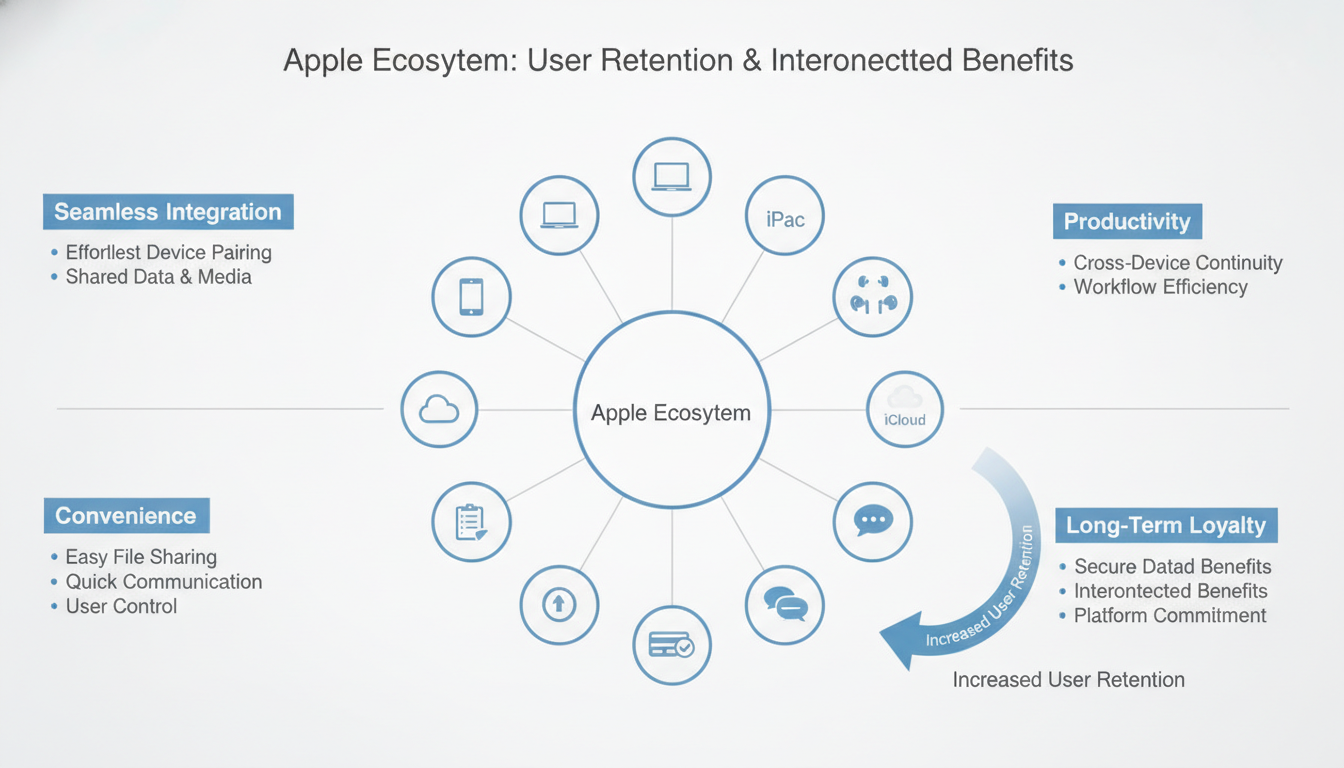
The Apple ecosystem offers several important benefits for users. The most obvious benefit is seamless integration. Devices work together in ways that feel natural and reduce manual effort.
Another benefit is convenience. Features such as AirDrop, Handoff, Universal Clipboard, iCloud sync, automatic AirPods switching, and Apple Watch unlock save time in daily use.
Privacy and security also play a major role. Apple provides strong account protection, encrypted communication, privacy controls, and secure hardware software integration.
The ecosystem also supports productivity. Users can move between devices, access files from anywhere, manage messages and calls across screens, and use specialized tools for work, study, and creativity.
Finally, the ecosystem provides long term value. Apple devices often receive years of updates, maintain strong resale value, and become more useful when paired with other Apple products.
Is There Any Downsides to the Apple Ecosystem?
The Apple ecosystem has many advantages, but it also has some limitations. The biggest concern for some users is cost. Apple products and accessories are often more expensive than many alternatives.
Another limitation is platform dependence. When users rely heavily on Apple services, switching to another platform can require extra effort. Some features work only with Apple devices, which can be inconvenient for users who work in mixed device environments.
Customization can also be more limited compared with some other platforms. Apple focuses on simplicity, consistency, and control, while some users prefer more open systems with deeper customization options.
Still, many users accept these tradeoffs because the overall experience feels stable, polished, and convenient.
Who Benefits Most from the Apple Ecosystem?
The Apple ecosystem is especially useful for people who own multiple Apple devices and want them to work together smoothly. It benefits students, professionals, creators, families, business users, and anyone who values convenience and consistency.
Students can use iPad for notes, Mac for assignments, iPhone for communication, and iCloud for syncing files. Creators can capture content on iPhone, edit on Mac, sketch on iPad, and use AirDrop to move media quickly. Professionals can manage calls, messages, calendars, documents, and meetings across devices. Families can share subscriptions, manage child accounts, and use Find My for location and device tracking.
The ecosystem is most valuable when users actively use its connected features. A single Apple device can be excellent on its own, but multiple Apple devices unlock the full experience.
Why Users Stay in the Apple Ecosystem for Years
Users stay in the Apple ecosystem because it combines convenience, trust, familiarity, quality, and long term value. Apple products are designed to work together in ways that simplify daily tasks. Over time, users build habits around those features.
The ecosystem also stores personal data and digital memories. Photos, messages, notes, passwords, health data, subscriptions, contacts, and files may become connected to Apple services. This makes the ecosystem feel personal.
Another reason is confidence. Many users trust Apple’s software updates, privacy approach, device quality, customer support, and app ecosystem. When it is time to buy a new device, staying with Apple feels like the easiest and most reliable choice.
This loyalty is not only about brand identity. It is about the practical comfort of a system that already works.
Infographic Of Apple Ecosystem Benefits
FAQ
What is the Apple ecosystem?
The Apple ecosystem is the connected network of Apple devices, software, apps, and services that work together. It includes products like iPhone, iPad, Mac, Apple Watch, AirPods, iCloud, iMessage, FaceTime, and Apple services.
Why do people stay in the Apple ecosystem?
People stay in the Apple ecosystem because it is convenient, familiar, secure, and deeply integrated. Features like AirDrop, iCloud, Handoff, Universal Clipboard, AirPods switching, and Apple Watch integration make daily tasks easier.
What are the main benefits of the Apple ecosystem?
The main benefits include seamless device integration, easy file sharing, iCloud syncing, strong privacy features, long term software support, consistent design, productivity tools, and better value when using multiple Apple devices together.
Is the Apple ecosystem only useful if I own many Apple devices?
The ecosystem becomes more powerful when you own multiple Apple devices, but even one Apple device can connect with services like iCloud, Apple Music, FaceTime, iMessage, and the App Store. The full benefit appears when devices work together.
What makes Apple integration different from other platforms?
Apple controls the hardware, software, services, and many user experience standards. This allows Apple to create smooth features across devices, such as AirDrop, Handoff, Universal Clipboard, Continuity Camera, and automatic AirPods switching.
Final Thoughts
The Apple ecosystem is a connected experience built around Apple devices, software, services, and user habits. It allows iPhone, iPad, Mac, Apple Watch, AirPods, and Apple services to work together with a level of integration that many users find difficult to replace.
Its biggest strengths are convenience, continuity, privacy, security, long term support, and a consistent user experience. While the ecosystem can be expensive and may create platform dependence, it also delivers a polished and reliable digital environment for users who want their devices to work together smoothly.
For many people, the Apple ecosystem starts with one device but becomes a long term way of managing communication, work, entertainment, health, privacy, and personal data. That is why users often stay in it for years.